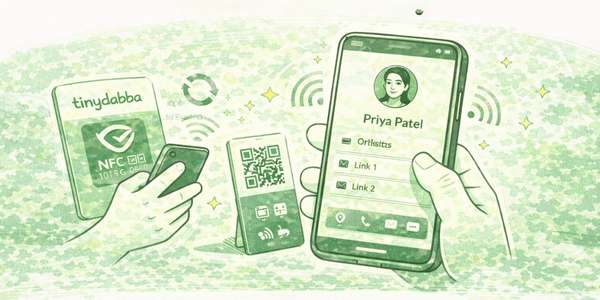

Digital Visiting Card
Tap or scan to open your digital profile
What is a Digital Visiting Card?
No physical printing changes needed
This card opens your digital profile when tapped or scanned.
You can update your details anytime — no reprinting required.
You can update your details anytime — no reprinting required.
Works on NFC and QR
• Tap the card on NFC-enabled phones
• Or scan the QR code using camera
• Or scan the QR code using camera
How to set up your digital card
Step 1: Open the card link
Tap the card or scan the QR code.
You will be redirected automatically.
You will be redirected automatically.
Step 2: Login
Login using your Gmail account.
No app installation is required.
No app installation is required.
Step 3: Add your details
You can add or skip any of the following:
- Name and photo
- Phone number
- Social links
- Website
- PDFs, videos, maps
Step 4: Save and test
Tap Update Card and refresh once.
Your changes go live instantly.
Your changes go live instantly.
🎥 Video guides (recommended)
Full setup walkthrough (40 minutes)
Complete end-to-end demo explaining setup, features, blocks and real usage.
Quick start guide (2 minutes)
Short and fast guide if you want to activate and start using your card immediately.
Add vCard block (save contact)
Learn how to add the vCard block so people can save your contact instantly.
Setup guide – Hindi
Hindi explanation of Digital Visiting Card setup (voice guide).
Setup guide – English
English voice explanation of Digital Visiting Card setup.
Common issues & solutions
Card not opening on tap?
• Make sure NFC is turned ON
• iPhone: tap the top back side
• Android: tap center/back side
• Keep phone unlocked
• iPhone: tap the top back side
• Android: tap center/back side
• Keep phone unlocked
Changes not visible?
Tap Update Card, wait a few seconds,
then refresh or reopen the link.
Card ID error?
Re-check the Card ID printed on your card.
Make sure there are no extra spaces.
Make sure there are no extra spaces.
Important information
No app required
Your digital card works directly in the browser.
No Play Store or App Store download needed.
No Play Store or App Store download needed.
You can manage multiple cards
You can add and manage multiple digital cards
under the same account.
Still need help?
Contact tinydabba support on WhatsApp
Quick Access
Card / Standee Activation
NFC.vc Activation
SuperNFC Card Activation
tinydabba on Amazon
tinydabba Website
© 2026 tinydabba · Help & Support