
← Back
Home
Purchased
›
Delivered
›
Blank Nfc
Blank NFC Card / Sticker
Write your own link or data on the NFC card
What is a Blank NFC Card?
Fully user-programmable
This NFC card or sticker does not come pre-configured.
You can write your own data on it, such as:
Website or Google review link
Digital visiting card
Social media profile
Event or payment page
What you need to get started
Things required
• An NFC-enabled smartphone
• A blank tinydabba NFC card or sticker
• A free NFC writing app
Recommended NFC apps
Android (Play Store)
•
NFC Tools (Recommended)
•
NXP TagWriter
iPhone (App Store)
•
NFC Tools
How to write data on the card (Android)
Step 1: Turn ON NFC
Go to phone settings and enable NFC.
Step 2: Open NFC Tools
Open the app → choose
Write
.
Step 3: Add record
Add URL, text, or contact details.
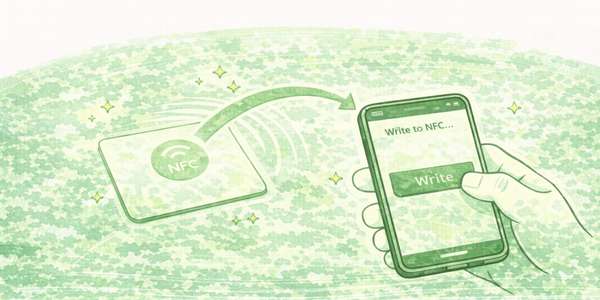
Step 4: Write to card
Tap
Write
and place your phone on the NFC card.
Very important warning
Do NOT lock the card unless you are sure
Locking makes the NFC card permanent.
Once locked:
Data cannot be changed
Card cannot be reused
Support information
Limited technical support
Blank NFC cards are open-ended products.
Due to different apps and use cases, tinydabba cannot provide detailed technical support for writing or locking the card.
›
Still need help?
Contact tinydabba support on WhatsApp